Introducing Live Pricing Sync: your specials and prices, in your ads the same day
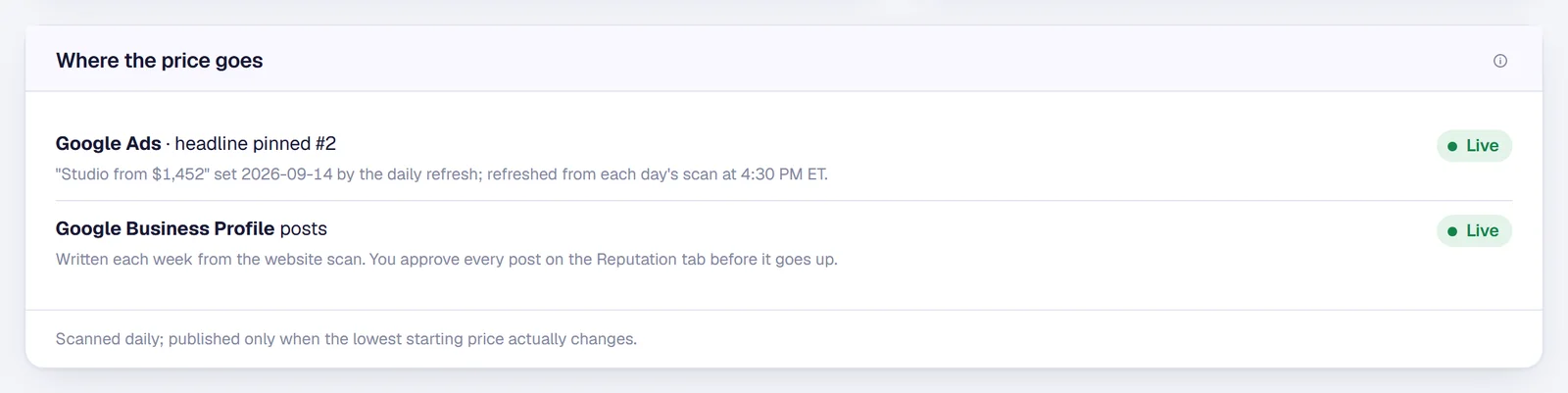
A special changes on Tuesday. Too often the ads are still selling the old one on Friday. Pulse now reads every community’s website every afternoon, and the Google Ads headlines update right after.
Leasing teams change prices and specials all the time, and they change them where it matters most: on the community’s own website. The ads are usually the last to hear about it. Someone has to notice, write new copy and update the account, for every community, every time.
So we took the step out. We call it Live Pricing Sync.
How it works
- We read the websiteEvery afternoon, each community’s floor plan prices and specials banner, exactly as a visitor sees them.
- The ads followThe headline with your lowest starting price and the one with your special update right after the scan.
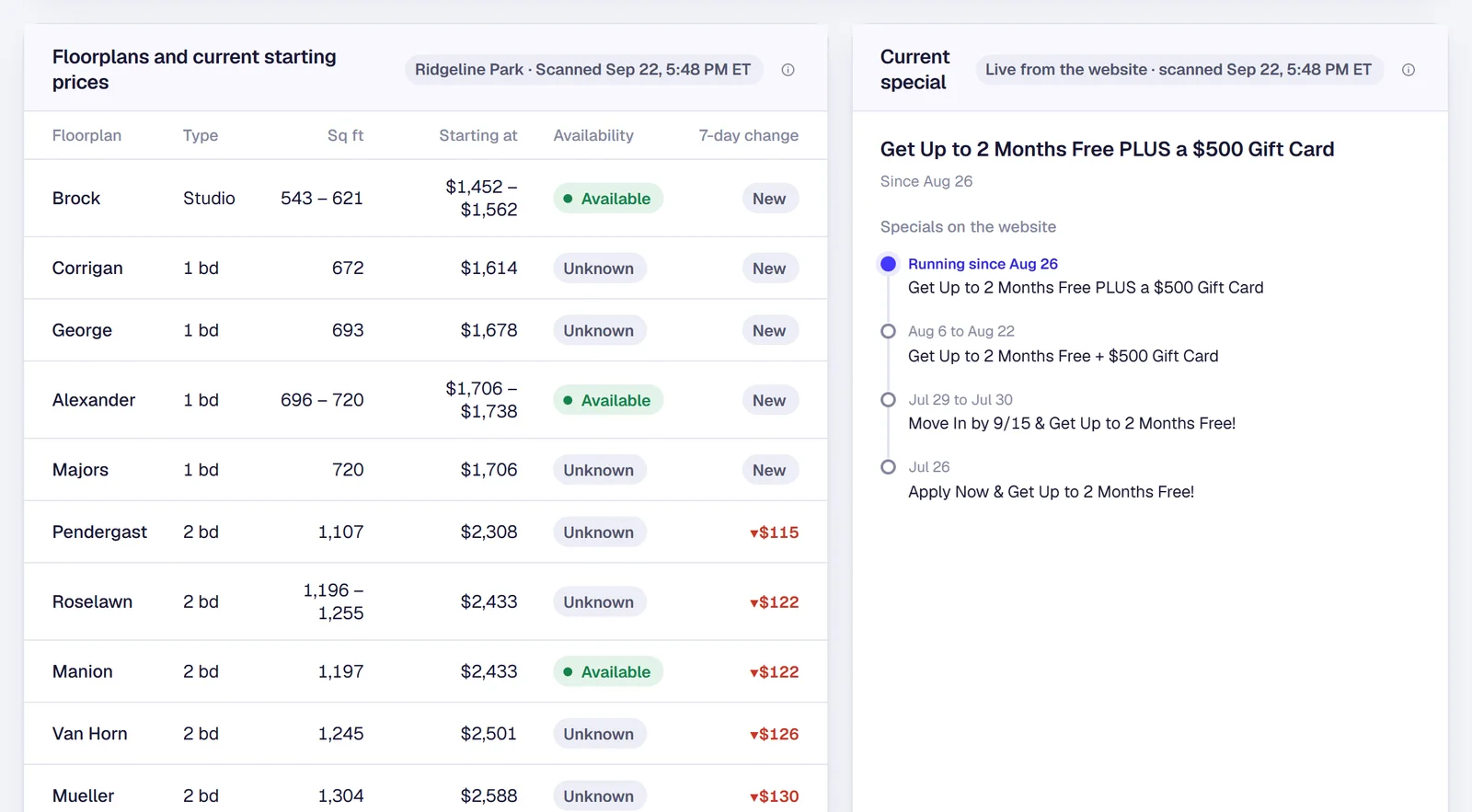
- You see the historyPulse keeps every special with the dates it ran, so you know what was live and when.
Only when something actually changed
A headline is rewritten only when the lowest starting price or the special really changes, so the ads are not constantly relearning. When a special comes off the website, it comes out of the ads too. And the prices keep the headline honest: the ad says “Studio from $1,452” because the website says it that afternoon.
Every special, with its dates
The Floorplans tab shows today’s prices by floor plan beside a timeline of the specials that ran before it. When ownership asks what you were offering in August, the answer is one click away.
Your Google Business Profile, from the same scan
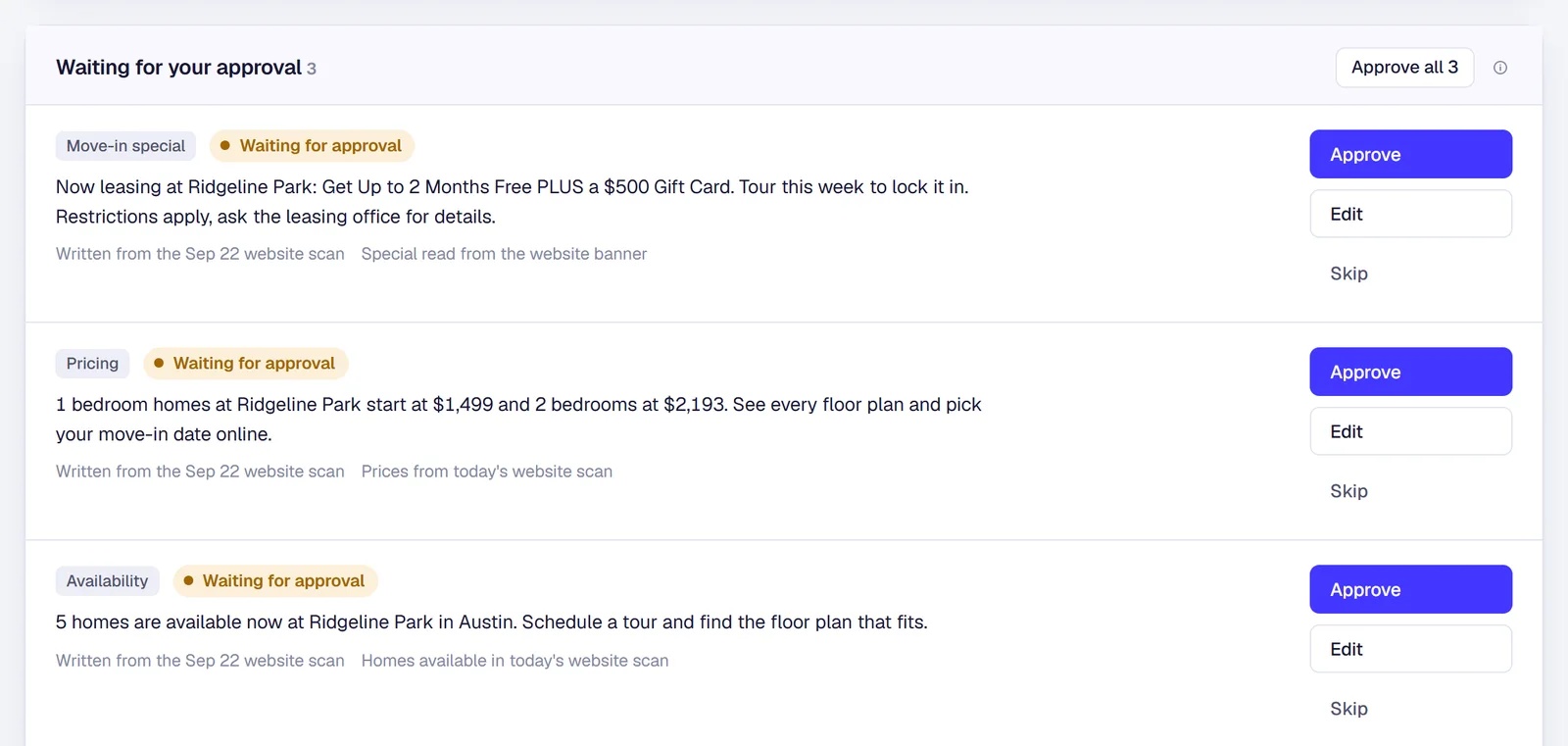
Each week the same scan writes a Google Business post for every community: the current special, today’s prices or homes available now. Nothing posts on its own. Each draft waits in Pulse until someone on your team approves it, edits it or skips it.
See it for yourself
It is live in Jamesday Marketing Pulse. Open the Floorplans tab on the demo portfolio, which uses sample communities and sample data, or read how we track your comps’ prices and specials the same way.
Questions about specials and prices in your ads
What if the website is wrong?+
Then the ad would be too, which is why we read the website instead of a spreadsheet: it is the one place your team already keeps current. And a special that disappears from the site comes out of the ads.
Do we have to approve the ad changes?+
Price and special headlines update on their own, because they only repeat what your website already says. Google Business posts are different: each one waits for your approval before it goes up.
Which websites does this work with?+
Most community websites that show floor plan prices or a specials banner. We set it up once per community.
Tired of ads selling last month’s special?
Bring one community. We will show you what its website says today, and what its ads say.
The person on this call is the person in your ads account. Cameron Day, owner.