See what renters praise, and what they complain about.
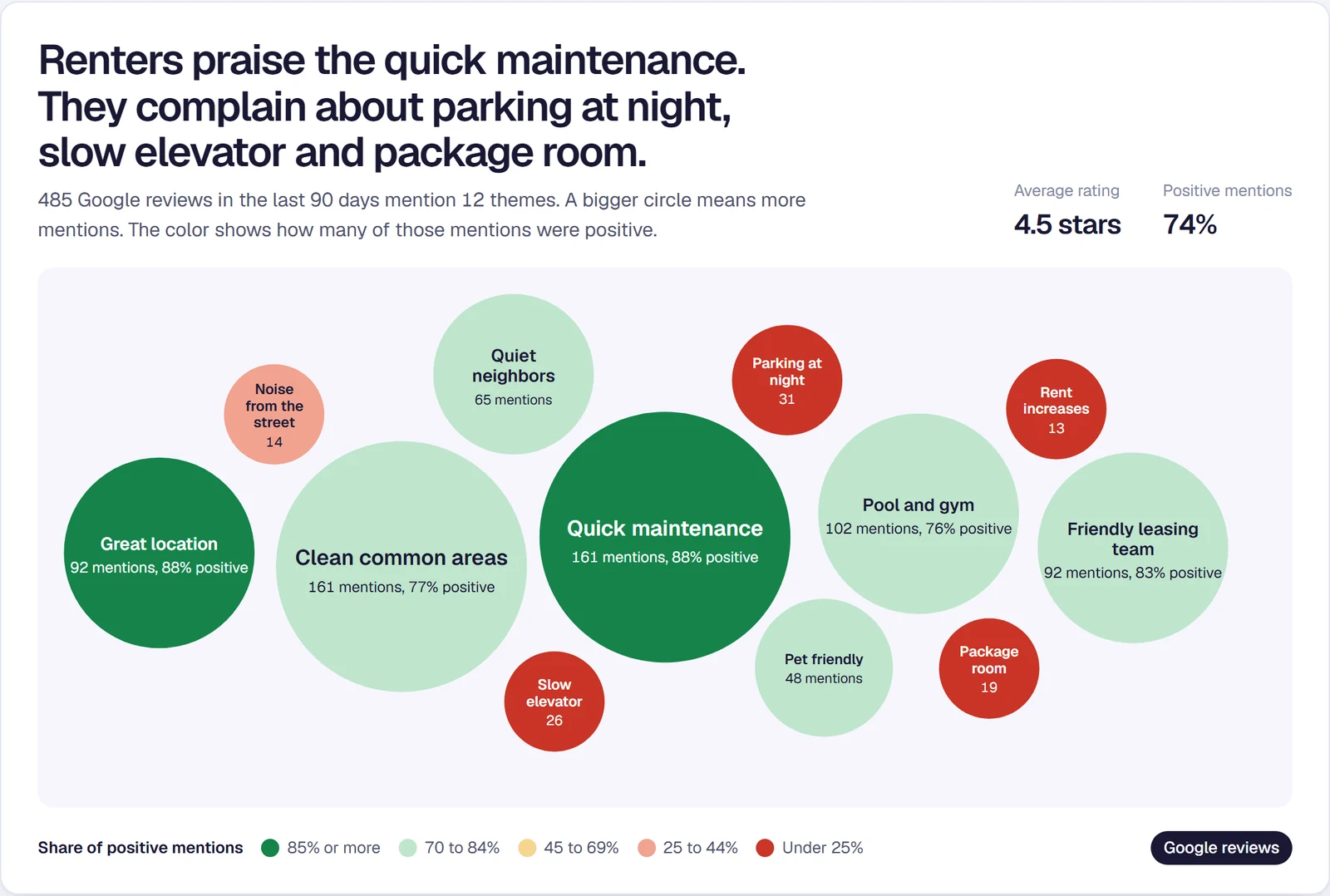
Pulse reads every Google review for every community and sorts it by what the renter was talking about. You see the pattern across the portfolio without reading 400 reviews.
From a new review to your regional’s inbox
- A renter leaves a Google reviewPulse picks up every new review for every community, every day.
- Pulse reads itEach review is tagged by theme, and by whether that mention was positive or negative.
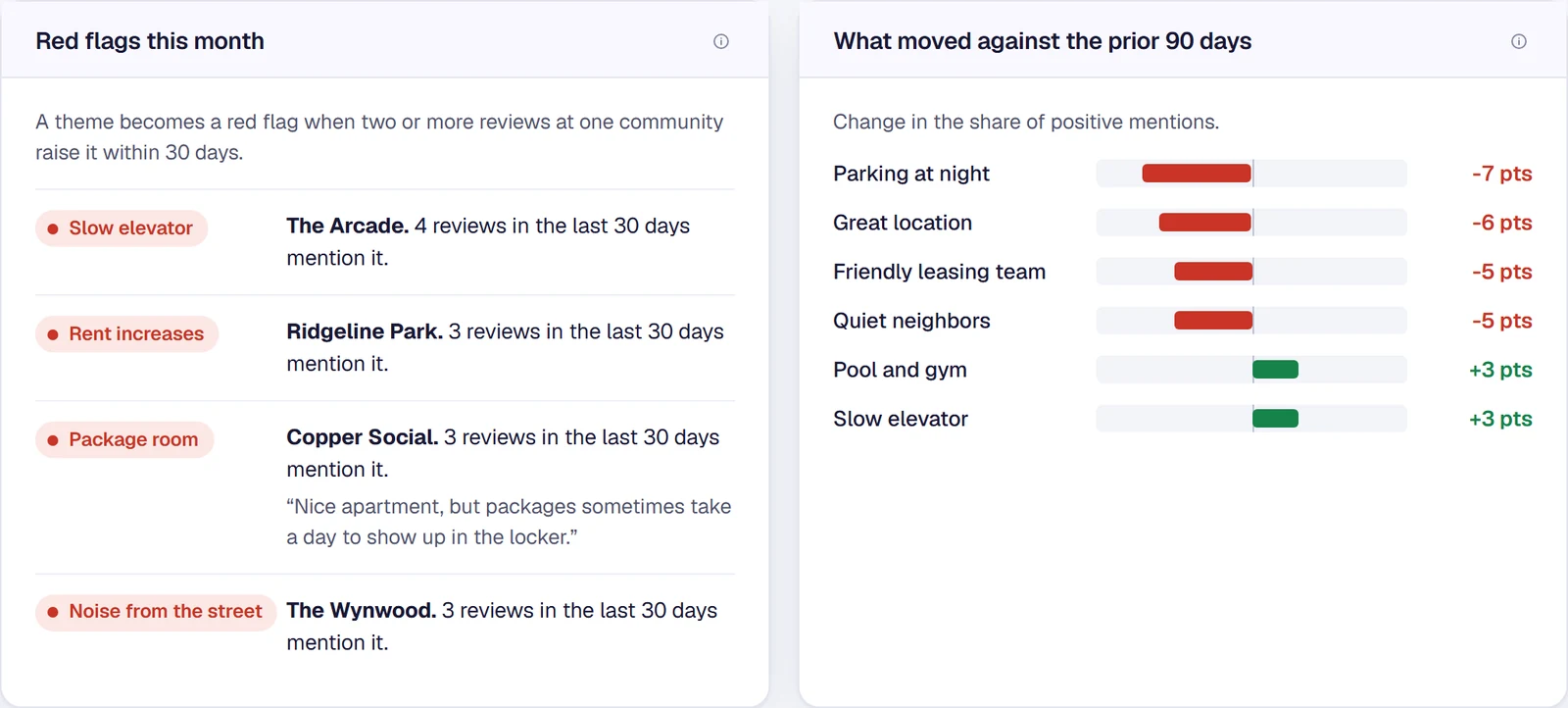
- Patterns become red flagsTwo or more reviews on the same issue at one community within 30 days.
- Your regionals get one emailOn the 1st: what needs them, what renters praised, and each community’s rating.
Three questions it answers
The themes renters mention most, and how many of those mentions are positive.
Red flags the month they begin, with the community and the review that raised it.
Each community against its own last 90 days. Communities are not ranked against each other.
Not an add-on. Comes with Grow and Outrank, alongside Google Business Profile management. 6-month minimum per property.
Pick how you want to start.
One community, 15 real questions, five AI assistants. Results within one business day.
Get a free AI visibility check →Click through Jamesday Marketing Pulse with a sample portfolio. No sign-up.
Open the live demo →Published, per property. Ads at 18% of managed spend, month-to-month, with a $400 monthly minimum per community; Monitor at $400 per property with the dashboard included.
See pricing →Questions about review themes
Which review sites does it read?+
Google reviews, for every community. Google is the rating a renter sees first, on Search and on Maps, and it is the one source we can read reliably every day.
How are themes and sentiment decided?+
AI reads the text of each review and tags what it is about, such as maintenance, parking or the leasing team, and whether that mention was positive or negative. One review can carry several themes. You can open any community and read the reviews behind a theme.
What counts as a red flag?+
Two or more reviews at one community raising the same issue within 30 days. One bad review is a bad day. Two about the same thing is a pattern worth a phone call.
Who gets the monthly email?+
Each regional manager, on the 1st, covering only their communities: what needs them this month, what renters praised, and each community’s rating against the month before.
Is this an add-on?+
No. Review themes come with Grow ($500 per property a month) and Outrank. Monitor includes review monitoring and drafted replies without the theme view.